RunSpriteRun
FREE · OFFLINE · WINDOWS
Two free tools for retro sprite animation.
RunSpriteRun turns your pixel art into playable, keyboard-driven animations, kept inside the real colour limits of classic 8-bit and 16-bit systems. Its companion, the Sheet Converter, gets any sprite sheet or GIF ready to import.
Systems Supported:
Sega Genesis / Mega Drive · Super Nintendo (SNES) · Atari ST · Atari STE · Amiga · Apple IIgs · Commodore 64 · Apple II (Double Hi-Res)
APP ONE
RunSpriteRun
Bring in sprites as image files or a sheet, put the frames in order, group them into animations, and run them with the keyboard to see how a character will move.
Download the Windows installer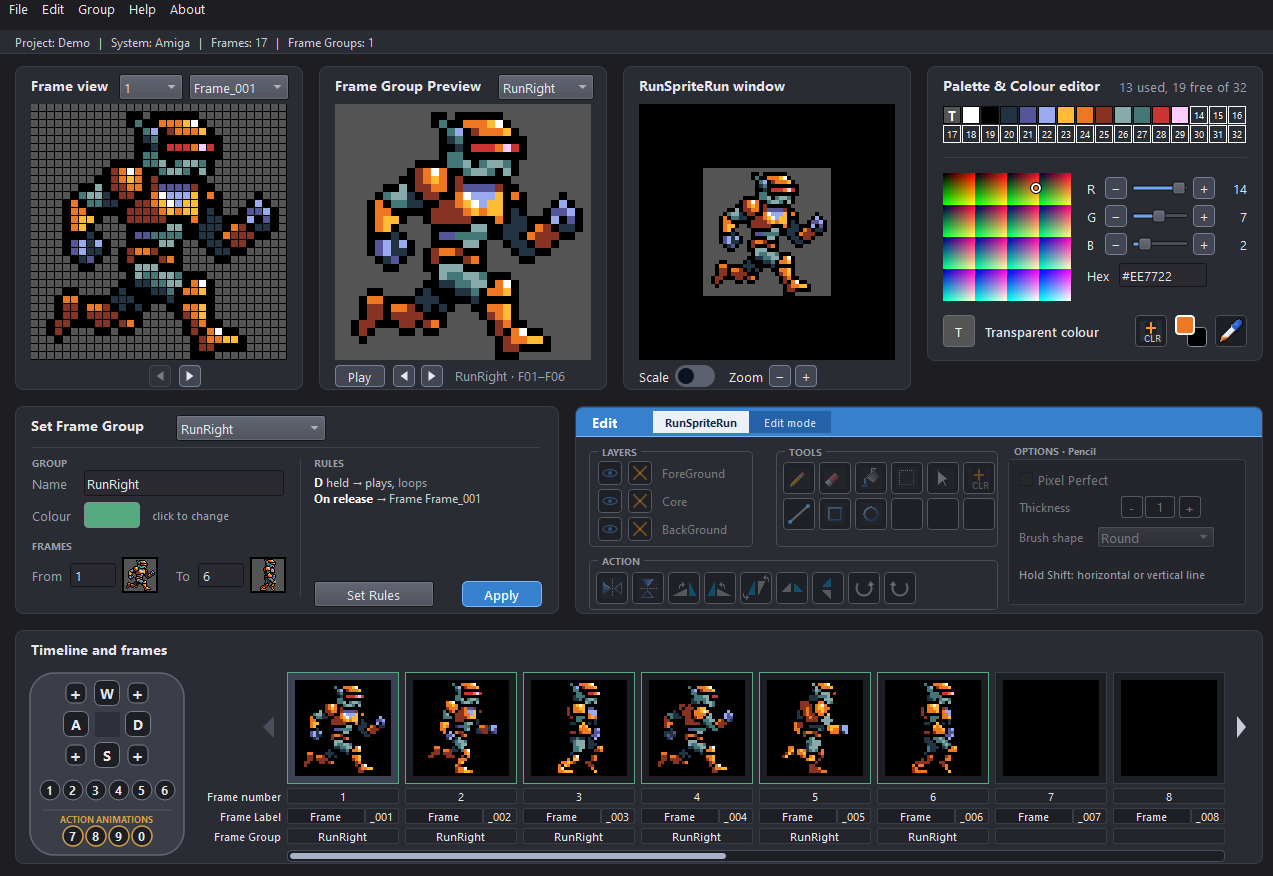
A palette and colour editor
Colours snap to the system you chose, dragged into any order, added with one click, and kept until you delete them.
The best colours for any system
Import the same sprite into a different system and every pixel snaps to the nearest colour that system can actually show — so one piece of art can be prepped for the Mega Drive, the Amiga or the C64 without hand-picking a palette each time.
Up to 120 frames, grouped into animations
Select, copy, paste and rename frames on a timeline, then group them into walk, jump, idle and more.
Run it with the keyboard
Frame Group Control says which keys play which group, like a game controller — directions, combos, and rules for what happens on release.
A full pixel editor
Pencil, eraser, bucket, line, shapes, select and move, mirrored drawing, three layers, undo and redo.
Shrink Sprite and Reduce Palette
Scale a project down or cut its colours, with a before/after preview.
Export sheets and rules
PNG sprite sheets plus a machine-readable rules file for your game.
Reads PNG, BMP, GIF and WebP sheets
Finds the sprites automatically, lets you remove or group them, and writes one sheet per sprite size.
Overlapping pieces merge on their own
A sprite split into several loose pieces — like a sparkle effect — is found and grouped as one, with a manual Merge and Split for the rest.
Animated GIFs and WebPs, too
Trims to the area that moves, drops frames you don’t need, and finds pixel art enlarged by a whole number or a fraction, reducing it back to its real size.
Cleans up lossy WebP colours
A lossy WebP, smudged by compression, can be cleaned back to a small palette using only colours already in the picture.
Colours are never invented
Kept exactly as in the source; RunSpriteRun checks them against your chosen system on import.
Reads RunSpriteRun’s own sheets
A sheet RunSpriteRun saved is recognised and read back box by box.
APP TWO
Sheet Converter
Turn 3rd party sprite sheets or single animated Gifs / WebPs (from retro games and modern creations) into RunSpriteRun files. Ready to import and edit.
Download the Windows installer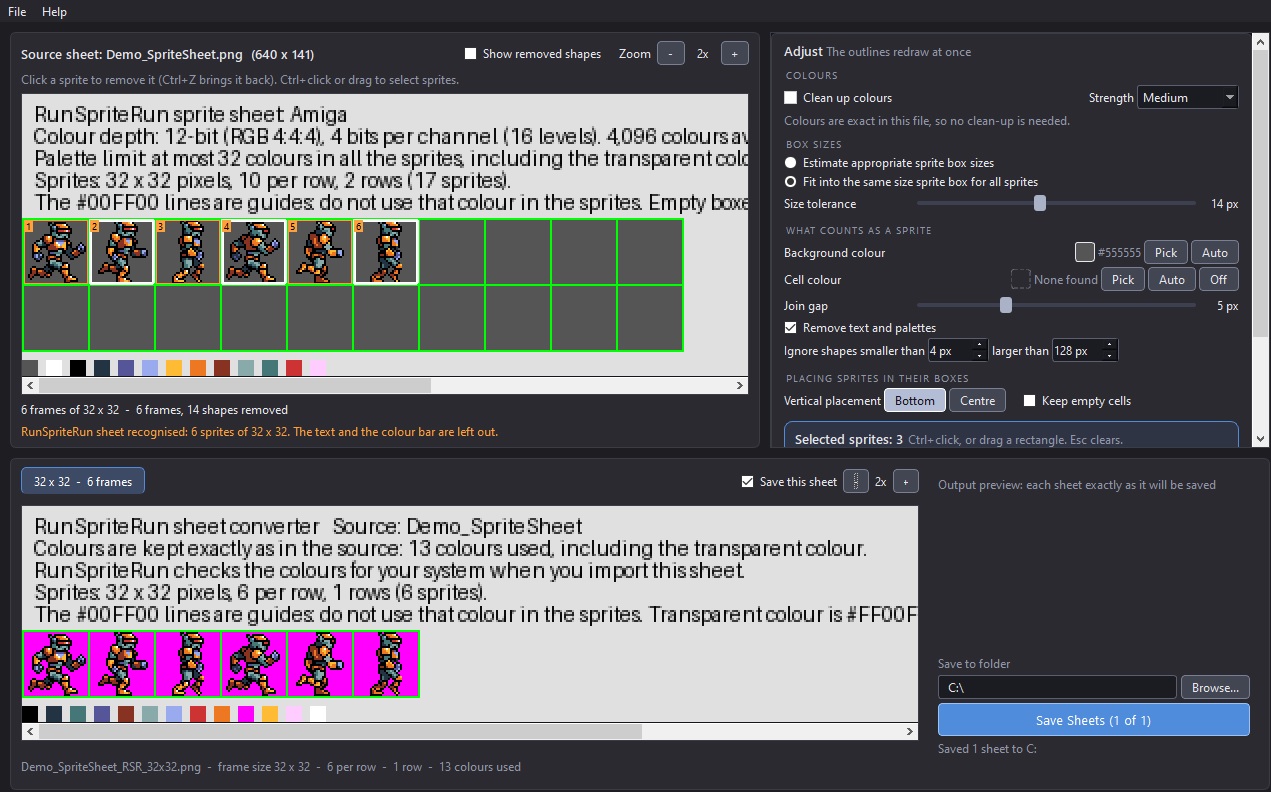
Free · open source · works offline
Made by Harley Lehmann, with his buddy Claude.